The 10-Minute AI Sunday Reset (+ Weekly Planner Printable)

What’s in this guide
The short version: empty your head onto a page for two minutes, pick the three things that would make the week feel handled, put those three somewhere specific in the calendar, and decide now which one gets dropped when the week goes wrong. That is the reset. Ten minutes the first few times, about six once you know it.
Below is each block with what to do and roughly how long it takes. It works on paper, and the prompt is for arguing with your own list rather than holding it.
If you want the reasoning behind the method rather than the stopwatch, the full productivity guide has it. This page is the doing.
Before you start: 30 seconds of setup
A piece of paper and a pen. Your calendar, closed for now. That is the whole setup.
Pick a moment that already exists in your Sunday rather than a time on a clock — after lunch, once the washing is on, the ten minutes before anyone else is up. Ten minutes attached to something that already happens survives. Ten minutes at half past four does not.
Minutes 0 to 2 — empty your head
Write down everything on your mind that touches the coming week. No order, no categories, no editing. Work things and home things on the same page, because they are competing for the same hours whether or not you keep them in separate apps.
Do this before you open a calendar or a task list. A screen turns a brain dump into a to-do list review, and those are different jobs — one is emptying, the other is auditing, and the audit will stop you emptying.
Minutes 2 to 4 — choose three
Read the list once and mark the three things that would make the week feel handled if they were done. Not the three most urgent. The three that change how the week feels.
Three is not a productivity superstition, it is a capacity estimate. Most weeks have room for three genuinely non-routine things around the fixed commitments, and a list of seven is a list where nothing has been chosen — which means the choosing happens later, at speed, badly.
This is the shortest block and the one everything else depends on. If you only have four minutes one Sunday, do this one and stop.
Minutes 4 to 8 — where the three actually go
Now open the calendar. Put each of the three somewhere specific — not on a day, in a slot, with something visible either side of it.
The point of the slot is not the appointment. It is that you can see what the thing is competing with, which is the only way to find out that your Tuesday plan sits between a school pickup and a meeting and was never going to happen.
Chunked or clear run
Mark each of the three as one or the other. Something that can be done in fifteen-minute pieces goes in the broken parts of the week; something that needs an unbroken hour needs an unbroken hour, and if there isn’t one, that is a fact worth learning on Sunday rather than Thursday.
Minutes 8 to 10 — name the casualty
Decide, now, which of the three gets dropped when the week goes wrong. Write it down.
This is the step that makes the difference between a plan that survives a bad Tuesday and one that gets abandoned whole. A plan with a named casualty degrades: you lose one thing and keep two. A plan without one collapses, because when the week turns there is no rule, so everything becomes equally negotiable and the easiest thing to drop is all of it.
Deciding while calm is the trick. You are a better judge of what matters on Sunday afternoon than at 4pm on Wednesday with something going wrong.
The prompt, if you want a second opinion
Everything above works with no tool at all. The prompt is useful for one specific thing: arguing with your own list when you cannot tell what matters, which is most weeks.
The last line is the one to keep. A planner that always says yes hands you an impossible week in a tidy format, and the tidiness is what stops you noticing it was impossible. The formula behind that prompt takes each instruction apart if you want to write your own.
What goes wrong in week three
Not week one. Week one has novelty carrying it. Week three is when a Sunday gets missed, and the missed Sunday feels like evidence the system does not work.
It is not. The reset costs ten minutes from a standing start, which means restarting costs exactly what continuing costs — that is the whole design. Do not try to catch up on the week you missed. Take a blank page and run it for the coming week only.
If Sunday evening is itself the difficult part, the three-step preview is the same job arranged to lower the dread rather than add to it.
The printable
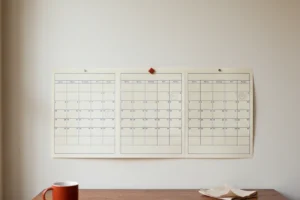
The Weekly Planner is one sheet with room for the dump, three lines for the three, and a line at the bottom for the casualty. Print it, keep it where you will walk past it, and the Sunday-to-Wednesday gap stops being where the plan dies.
Questions about the 10-minute reset
Do I need an app for this?
No. The reset works better on paper for most people, because paper has nothing else on it — no notifications, no other lists, nothing to tidy. The prompt is optional and is there to argue with your list, not to hold it. If you already use a planner or task app, keep it and write the three into that.
Why exactly three things?
Because three is roughly what a normal week has room for around the commitments that already exist. A list of seven is a list where nothing has been chosen, which means the choosing happens later at speed and badly. Three forces the decision while you are calm enough to make it well.
What if my week is genuinely too full for three?
Then pick one and say so. The reset is not obliged to produce three — that is a ceiling rather than a quota. A week with one real thing chosen and protected is a better week than one with three that all get half-done.
Does ten minutes really cover a whole week?
It covers the three decisions that matter: what has to happen, where it goes, and what gets dropped when the week turns. It does not schedule every hour, and scheduling every hour is the thing that makes planning systems collapse. The first two or three resets will run longer while you learn the shape.
I missed several weeks. Where do I restart?
With the coming week, from a blank page. Do not audit what you missed — that turns a ten-minute job into an hour of guilt and is the single most common reason people do not restart. The method costs the same from a standing start as it does in week nine, on purpose.
Keep going
-

Time Blocking with Kids at Home (The Interruptible Version)
Plan for the interruption instead of around it. Work that survives being put down, and the one block worth actually defending.
-

Plan Your Ideal Week with AI: Time Blocking for Beginners
Start from the week you actually had, not the one you want. Block the shape of the day rather than the hours, and only three blocks are yours.
-
Break a Goal into a 12-Week Plan with One Prompt
Twelve weeks is long enough to finish something and short enough to see the end. The prompt, and the two weeks you must leave empty.